The new hedger: an investing portal and a portfolio tracker in one
Markets, the economy, companies and a community for everyone, free – and your portfolio and taxes with them. For users of the old version: what happened to your data and where to find things.
Heads up. This text is informational and not tax or investment advice. Written with AI assistance.
hedger.cz now runs on a new version, rebuilt from the ground up. It used to be mainly a tool for your portfolio and taxes. Now it is an investing portal and a portfolio tracker in one: what is happening in the markets and the economy and why, for everyone and free, without an account too. And when you upload your broker statements, hedger also keeps your portfolio and your tax return's figures, and shows the markets against what you hold.
Did you use the old version? Your account and all your statements moved over, and you sign in as before. What happened to your data and where to find things is at the end of this article.
Markets today: what happened and why
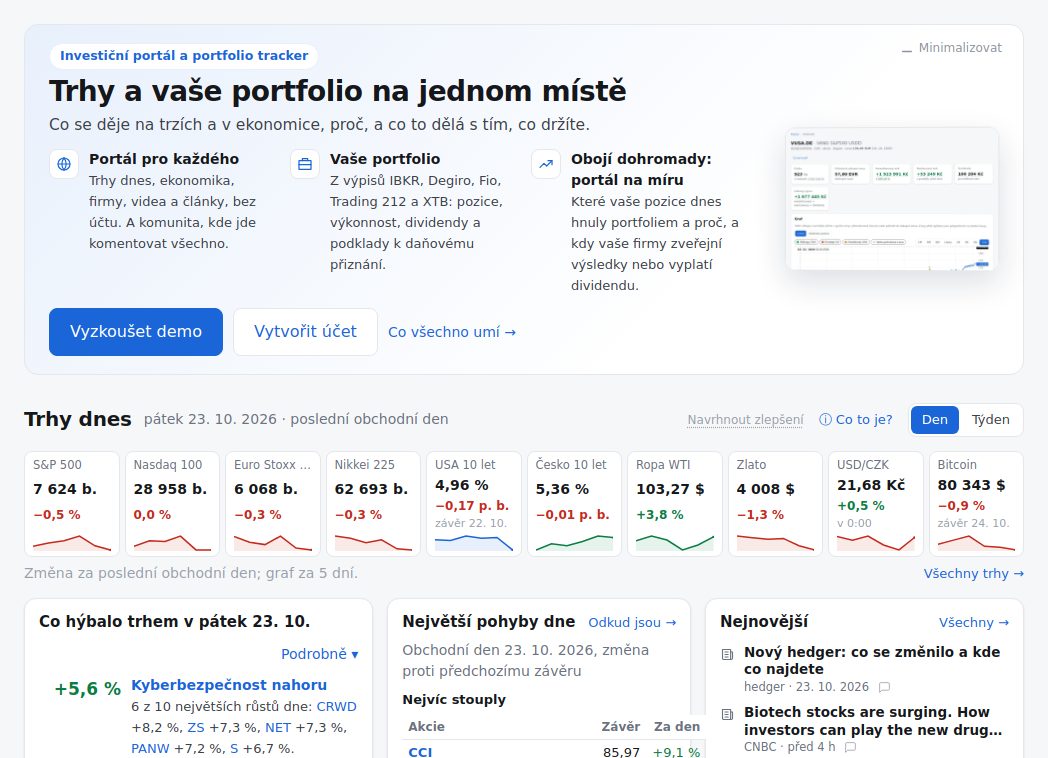
The main page sums up the markets over the last trading day or week: indices, bond yields, oil, gold, the crown and bitcoin, sectors, the day's biggest moves and what moved the market – with the news about each move. Below it is this week's calendar: company results, economic releases and central bank meetings, each with how the market reacted last time.
Every stock and ETF has its own page
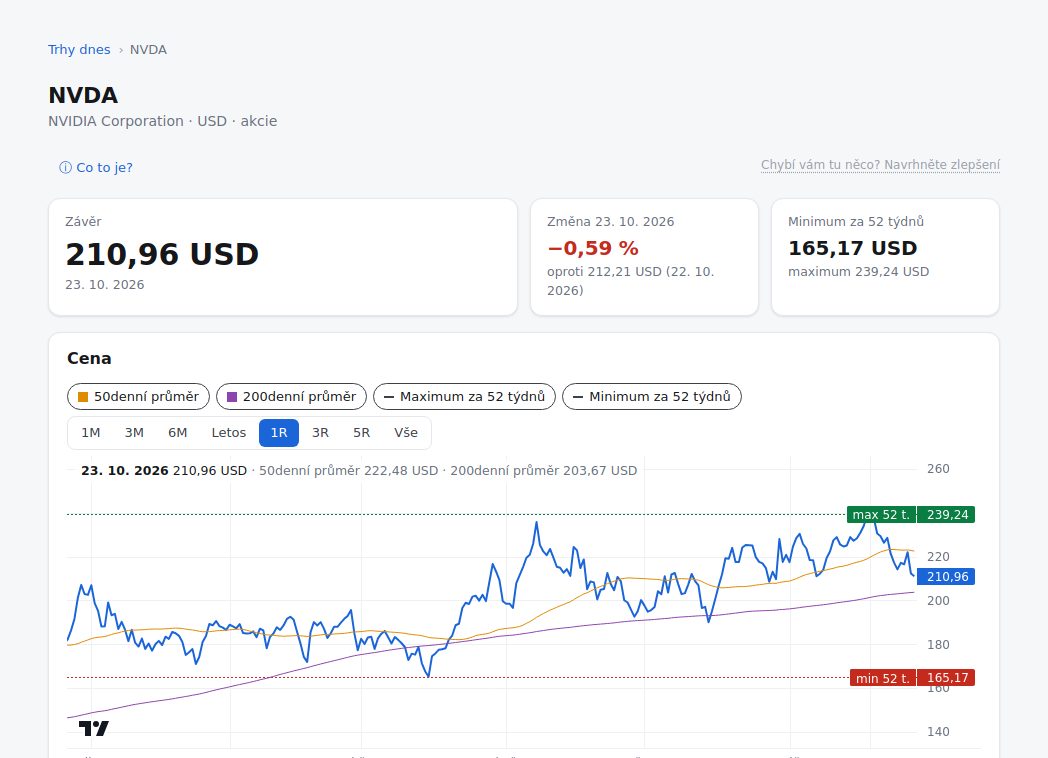
Find it with the search at the top. The price chart also shows the 50-day and 200-day moving averages and the 52-week high and low, and under the chart where the price stands against them. Then the return over a week up to 5 years, the company's results (estimate and actual), the analysts' price target, what the company's executives buy and sell of its shares (insiders) and which superinvestors hold it, news, videos that mention the company, and a discussion. If you hold the stock, your position is there too.
More about the markets: All markets (every market we follow, over a day up to a year), the Stock screener, Baskets (themed groups of companies such as European defence, AI infrastructure or Uranium and nuclear), the Market calendar, Superinvestors (what Buffett, Ackman, Li Lu and others hold and buy, from their 13F reports) and Insiders (US executives' buys and sells, from their SEC filings).
The economy, rates and the Fed
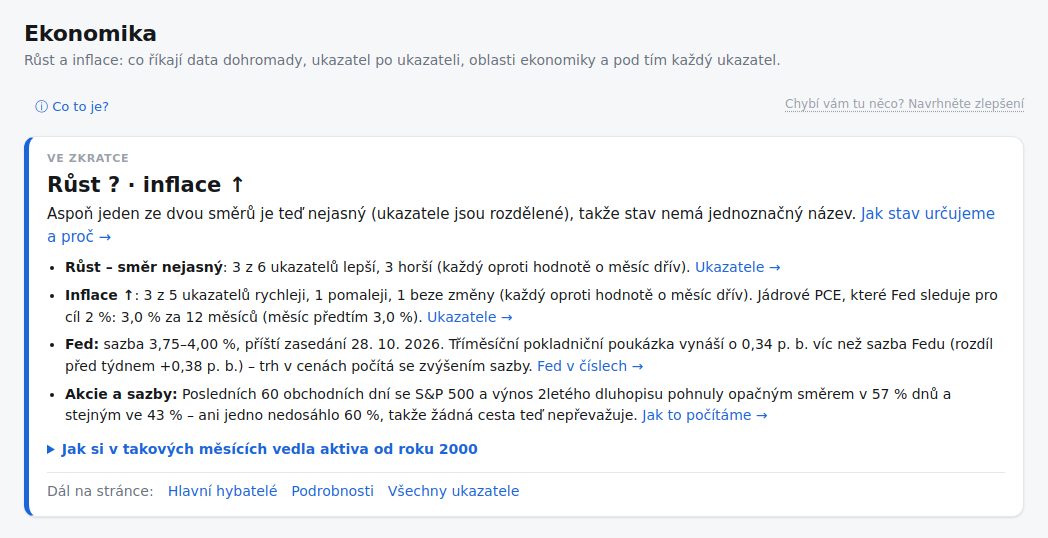
Where growth and inflation are heading, measure by measure. Every claim shows the figures it rests on and their previous value. More pages: Rates and the Fed (the path of Fed rates the market expects from futures prices, yields and the curve), Risk and mood (whether the market is taking risk or hedging), Connections (how markets and measures move together) and central bank liquidity.
Community
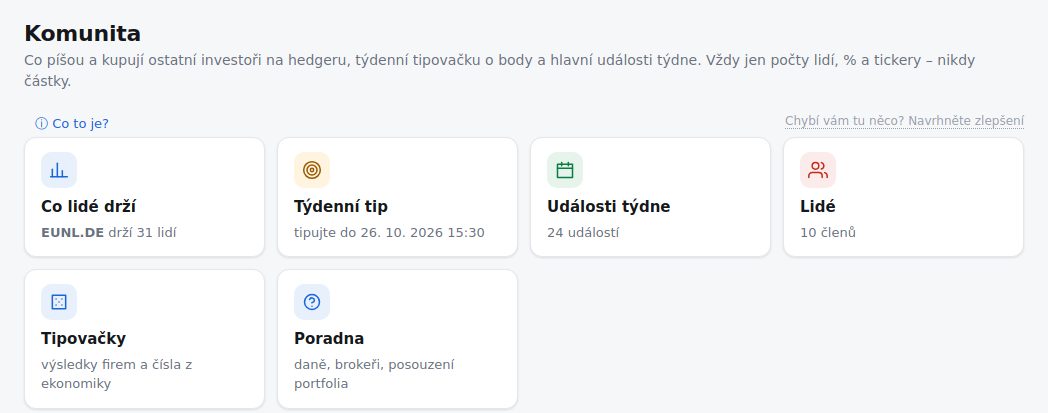
You can comment on anything you see on hedger: a market, a measure, an event in the calendar, a basket, an article or a video. A comment remembers the figure you saw at the time. And there is:
- What people hold – what other investors hold and buy, only in counts of people and percentages, never money,
- Daily and weekly call – each day one tap on whether the S&P 500 closes higher or lower, and each week where the S&P 500, gold, the dollar and other markets go; for points and streaks,
- Portfolio ranking – members who opt in, ranked by return against the S&P 500, in percentages only; only portfolios whose figures come from broker statements, with no hand edits,
- Polls, and a bullish or bearish tag on a post about a company,
- Guessing games – company results and economic figures,
- Q&A – questions on taxes, brokers or portfolios,
- Basket suggestions and Ideas and bugs – what a basket lacks or shouldn't have and what we should build next; you vote on the suggestions.
Anyone can read; writing and calls need an account and a nickname. hedger_ai – our bot, always labelled as one – also starts discussions: it comments on the day's events and opens polls. You can share your profile, your call or a stock's page: the link's preview shows a picture with the figures in percentages.
Your portfolio
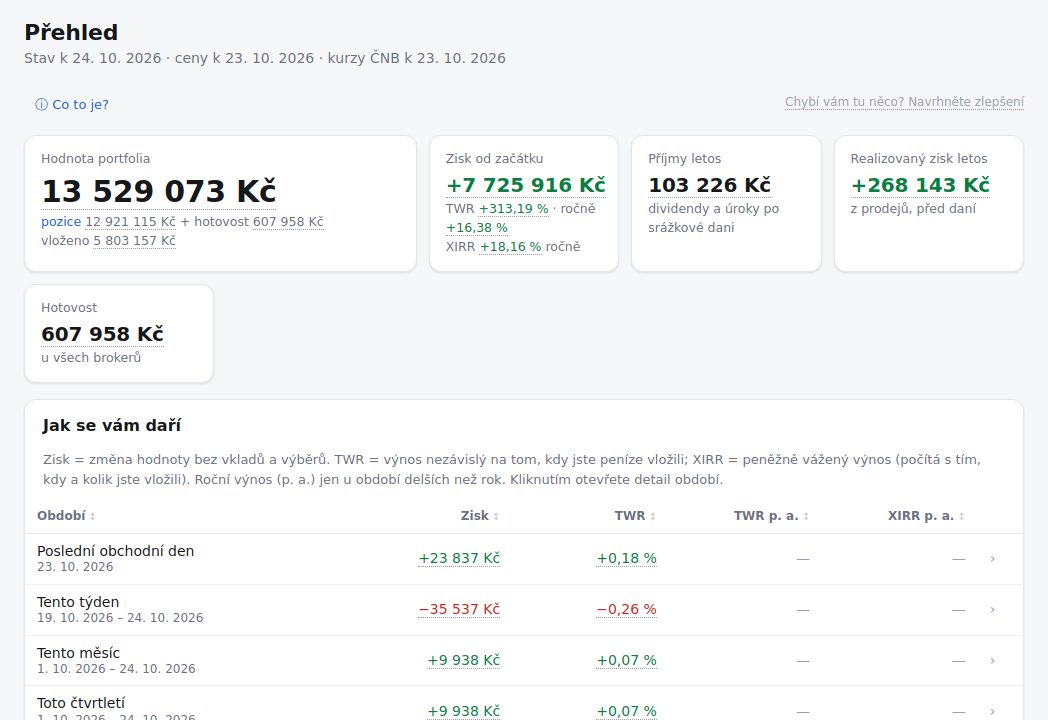
Upload statements from IBKR, Degiro, Fio, Trading 212 or XTB – again and overlapping too, what we already have is not stored twice. hedger computes your portfolio's value in crowns, euros or dollars, the gain since the start and over any period, the return (TWR and XIRR), dividends, cash and holdings across all your brokers together.
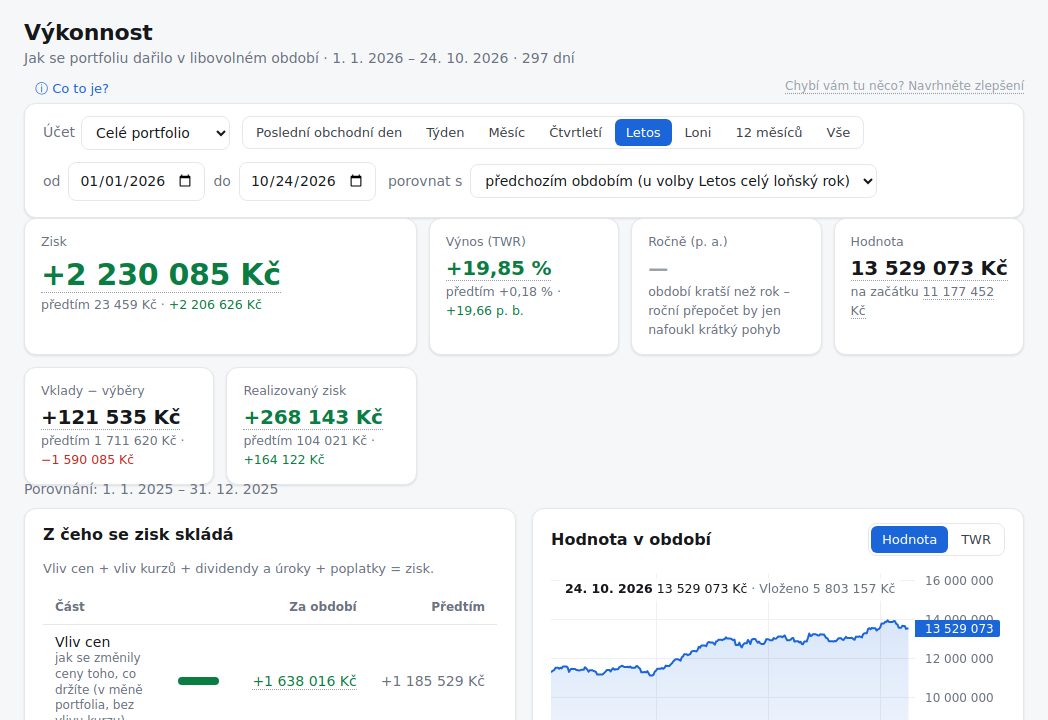
Performance shows what the gain is made of: price changes, the crown's exchange rate, dividends and interest, and fees.
Your tax return
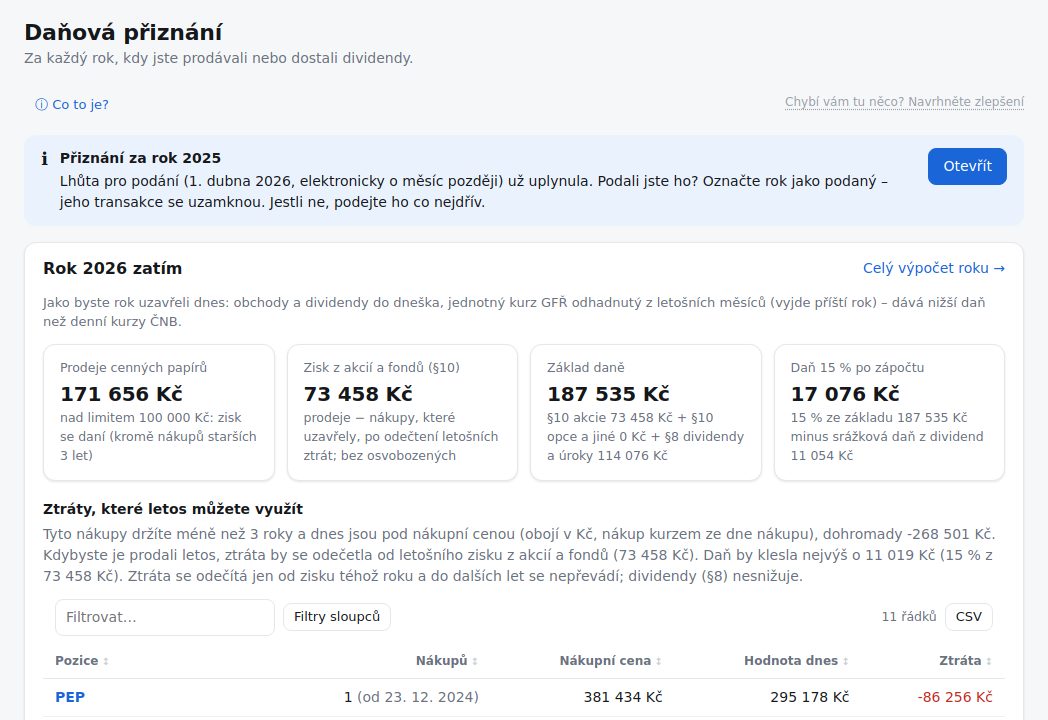
Income from selling securities (§10) and foreign dividends (schedule 4) at ČNB rates, the 3-year holding test, the CZK 100,000 exemption, the credit for tax paid abroad and the XML for EPO. During the year you see what you would pay so far and which losing holdings would lower the tax.
Every figure opens up and can be corrected
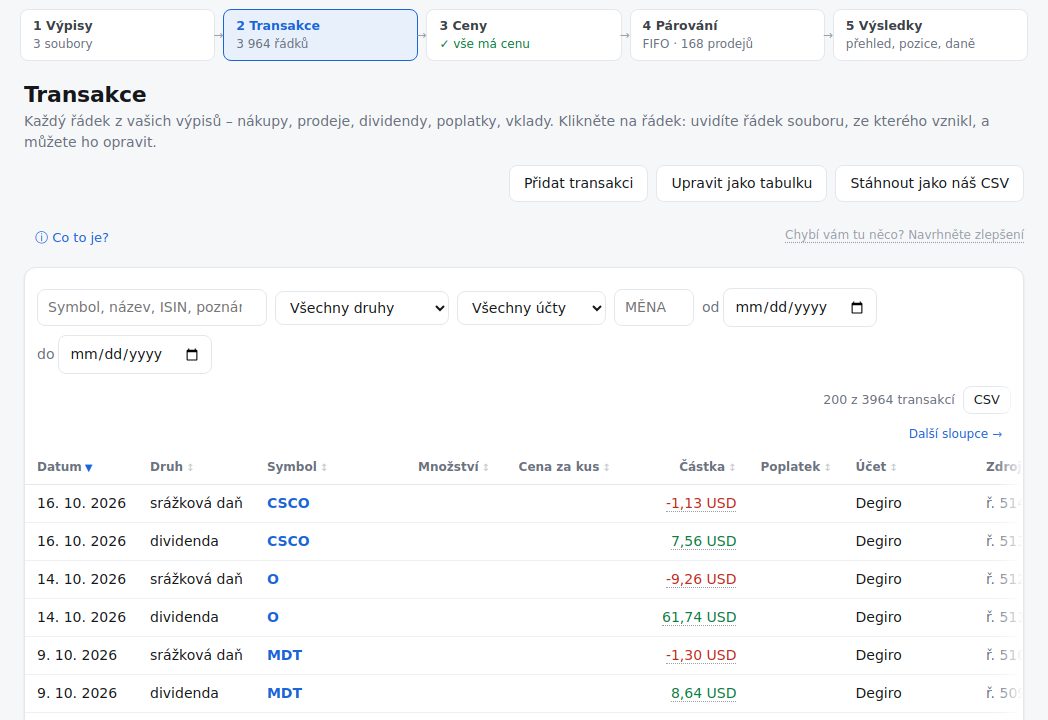
Every figure in the app opens up down to the statement line it came from. You can edit, delete or add transactions by hand, as a sheet too; the file's original value stays stored and one button brings it back. You choose how sales are paired with buys: FIFO, the lowest tax, or by hand for each sale.
Also new: assets outside the stock market (property, savings, debts), price alerts by e-mail, a tool for taxing RSUs and ESPP, and a tax-return guide for each broker (More → Taxes by broker).
Try the demo – a read-only sample portfolio, nothing to fill in.
For users of the old version
What happened to your data
Your whole account moved over. Sign in with the same e-mail and password, or with Google as before.
We moved:
- your portfolios and their currency,
- every broker statement you uploaded – each one read again by the new file readers,
- your holdings' links to a market price and the dividend countries you set,
- your watchlist, e-mail settings and the keys for downloading statements automatically,
- the blog's posts (under Articles, "From hedger").
The old forum's posts did not move. Community replaces the forum.
Old links (bookmarks, links in e-mails) take you to the matching page of the new version.
Why some figures may differ
The new version computed everything again from your files. Comparing it with the old version, we found differences for a number of users, and in most of them the old version was wrong. For example, it:
- took an ISIN change (a company only renaming its share) for a sale and a new buy,
- converted XTB dividends that were already in CZK to CZK a second time,
- still counted files you had deleted,
- took a sale in euros at Fio for a sale in crowns.
The new version also applies rules more precisely: the exemption of income up to CZK 100,000, spin-offs as income, CFDs taxed differently from shares. If a figure looks off, click it – each one shows what it is made of, down to the statement line. If something doesn't add up, tell us under Ideas & bugs.
Before you file your return, go through Needs you. It has the questions without which the new version can't compute some years – a buy that no statement shows, for example.
Where to find things
| In the old version | In the new version |
|---|---|
| Portfolio → Dashboard | Portfolio → Overview |
| Portfolio → Positions | Portfolio → Holdings |
| Portfolio → Symbols | Holdings (held) and Closed trades (sold); each share has its own page |
| Portfolio → Cash | Portfolio → Cash |
| Portfolio → Performance | Portfolio → Performance |
| Portfolio → Changes, YoY, QoQ, MoM | Performance: the period (day, week, month, quarter, year) and "What the gain is made of" (prices, currencies, dividends, fees) |
| Portfolio → Weekly | Portfolio → Weekly digest |
| Portfolio → Distribution | Portfolio → Allocation |
| Portfolio → Dividends | Portfolio → Dividends & interest (the outlook too) |
| Portfolio → Risk | Performance (largest drop) and Allocation |
| Portfolio → Earnings | Portfolio → Earnings |
| Portfolio → Macro | Markets → Market calendar |
| Upload | Your data → Upload a statement |
| Tax → Tax Report | Portfolio → Tax return |
| Tax → Tax Guide | Help |
| Browse → Files, Raw | Your data → Files (each file shows its every line) |
| Browse → Ledger | Your data → Transactions |
| Browse → Closed Trades | Portfolio → Closed trades |
| Browse → Dividends, Interest | Portfolio → Dividends & interest |
| Browse → FX Rates | More → ČNB rates |
| Browse → Prices | The search at the top of the page: each share has its chart and price history |
| Browse → Instrument mapping | Your data → Price links |
| Watchlist | Portfolio → Watchlist |
| Forum | Community |
| Blog | Markets → Articles and videos |
| Help | More → Help |
Good luck with your investing. Send us bugs and ideas under Ideas & bugs – we read them all.