…

Getting started with Hedger

From first upload to per-position attribution — with every number traceable back to your broker's own CSV.

Budget ~15 minutes
You'll need a Hedger account to try these features. Use the demo login below to explore, or sign up to start with your own data.
1

Upload your broker data — autosync where the broker allows it, manual CSV where it doesn't

Hedger never asks you to type a trade by hand. Two paths, both first-class: autosync where the broker has an API, and drag-and-drop CSV/XLSX where it doesn't. Manual upload is a supported path, not a fallback — plenty of users prefer it for the control. Hedger supports five brokers — IBKR is primary, Degiro is second, the others work but are still in beta.

IBKR PRIMARY
Upload your full historical Activity Statement once, then enable Flex Query for daily autosync — Flex only returns the last 12 months, so it's autosync *after* the initial historical load.
Degiro SECONDARY
Manual CSV — no public API. Activity → Transactions → Export CSV, plus the Account CSV from Reports. Re-uploads are deduped, so weekly exports take under a minute.
Trading 212 BETA
Paste your API token in Settings — this one really is set-and-forget. Or History → Export CSV if you prefer manual.
Fio BETA
Manual CSV/XLSX — no public API. Internetbanking → Statements → export.
XTB BETA
Manual XLSX — no public API. xStation → Reports → History → export.

What this looks like in practice. Trading 212: paste your API token once and you're genuinely done — full set-and-forget. IBKR: upload your historical Activity Statement once, then enable Flex Query, and Hedger pulls the last day's activity every morning automatically — so it's autosync after the initial load. Degiro, Fio, XTB: manual CSV because those brokers don't expose a public API — but re-uploads are deduped cleanly, so dragging in a fresh export once a week takes under a minute. No typing trades, no spreadsheet maintenance, no manual data entry — regardless of which path you pick.
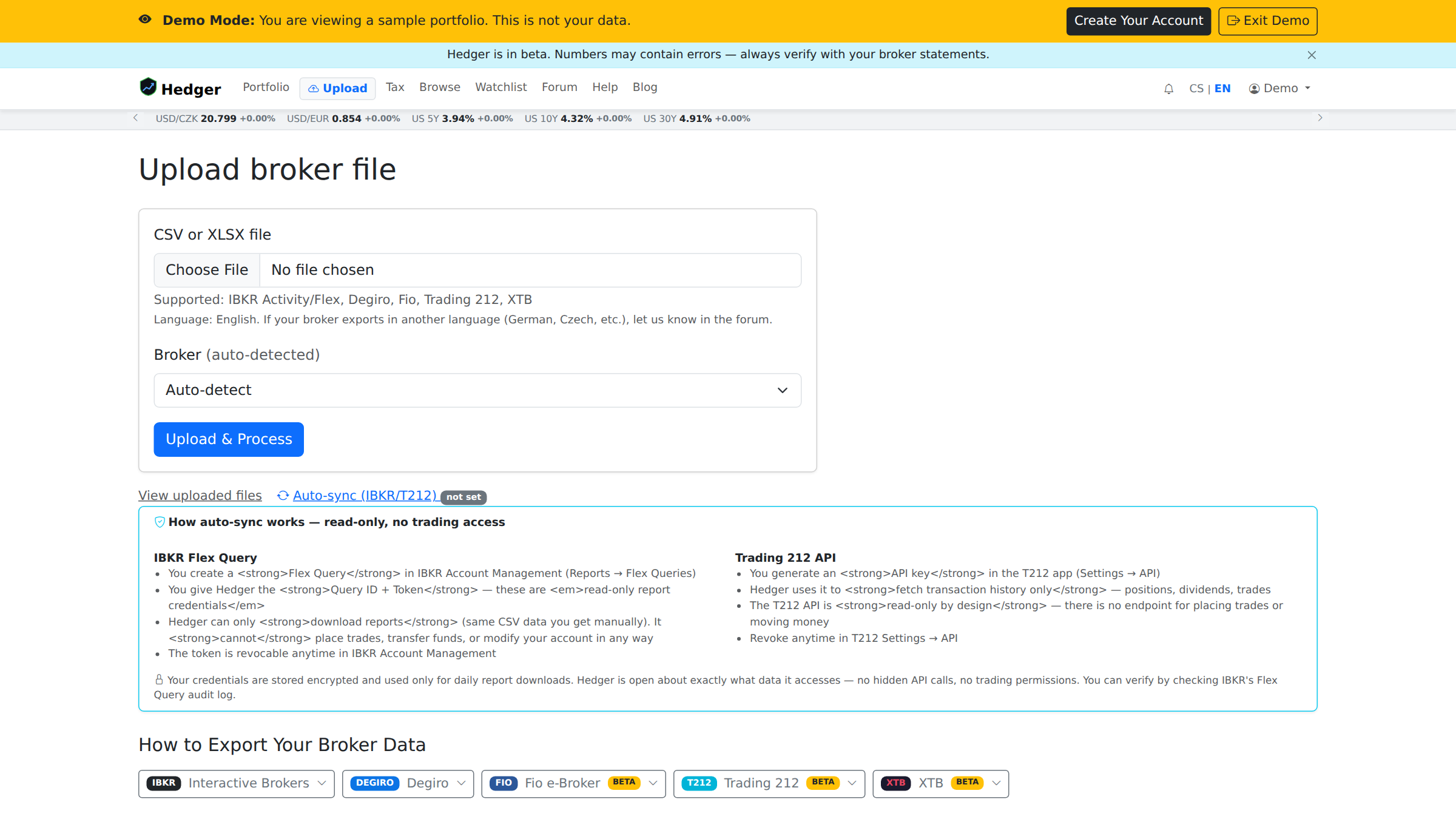
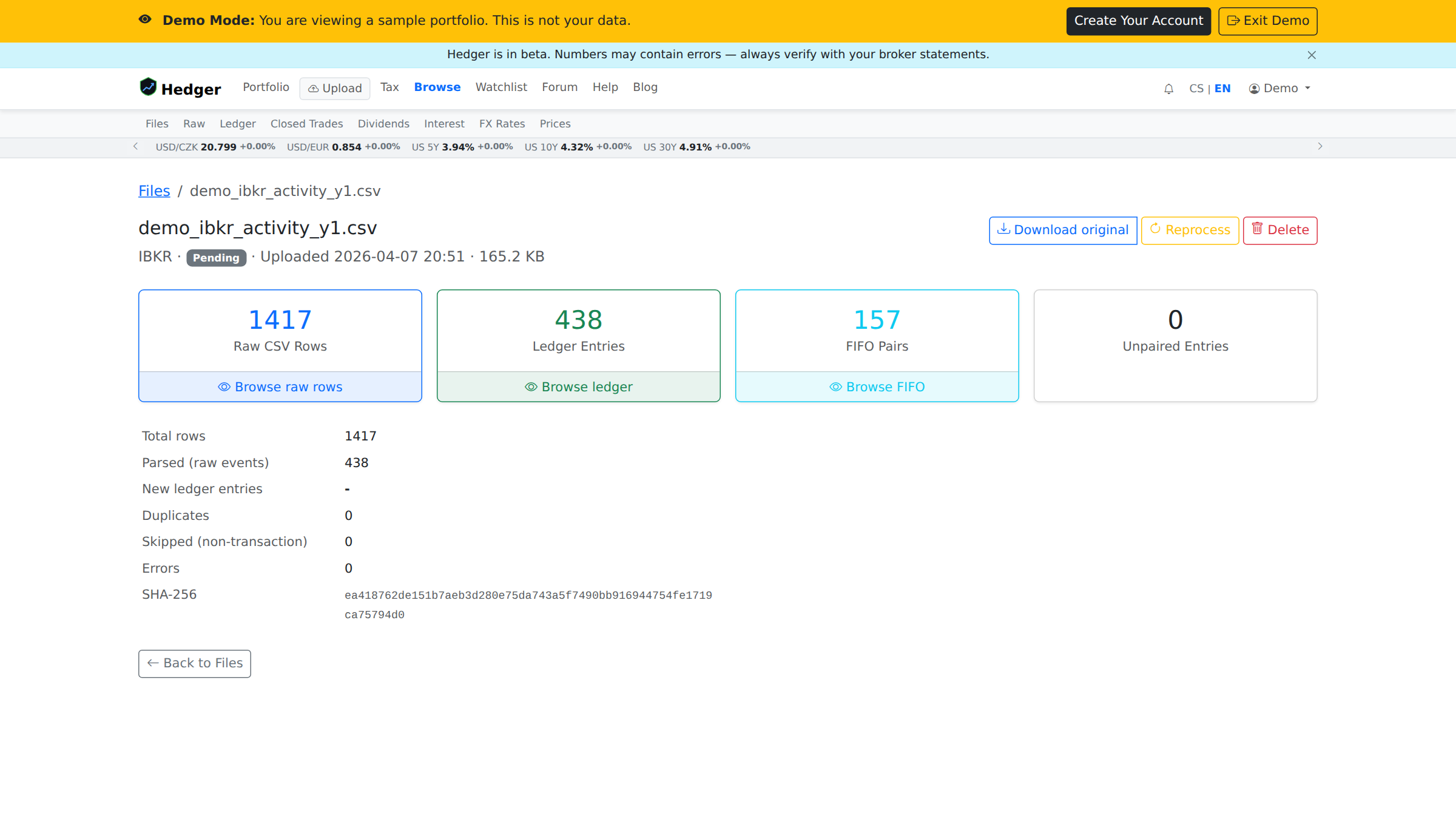
Screenshot: Upload page Screenshot placeholder — Upload page
2

See your portfolio come alive — and start checking it against your broker

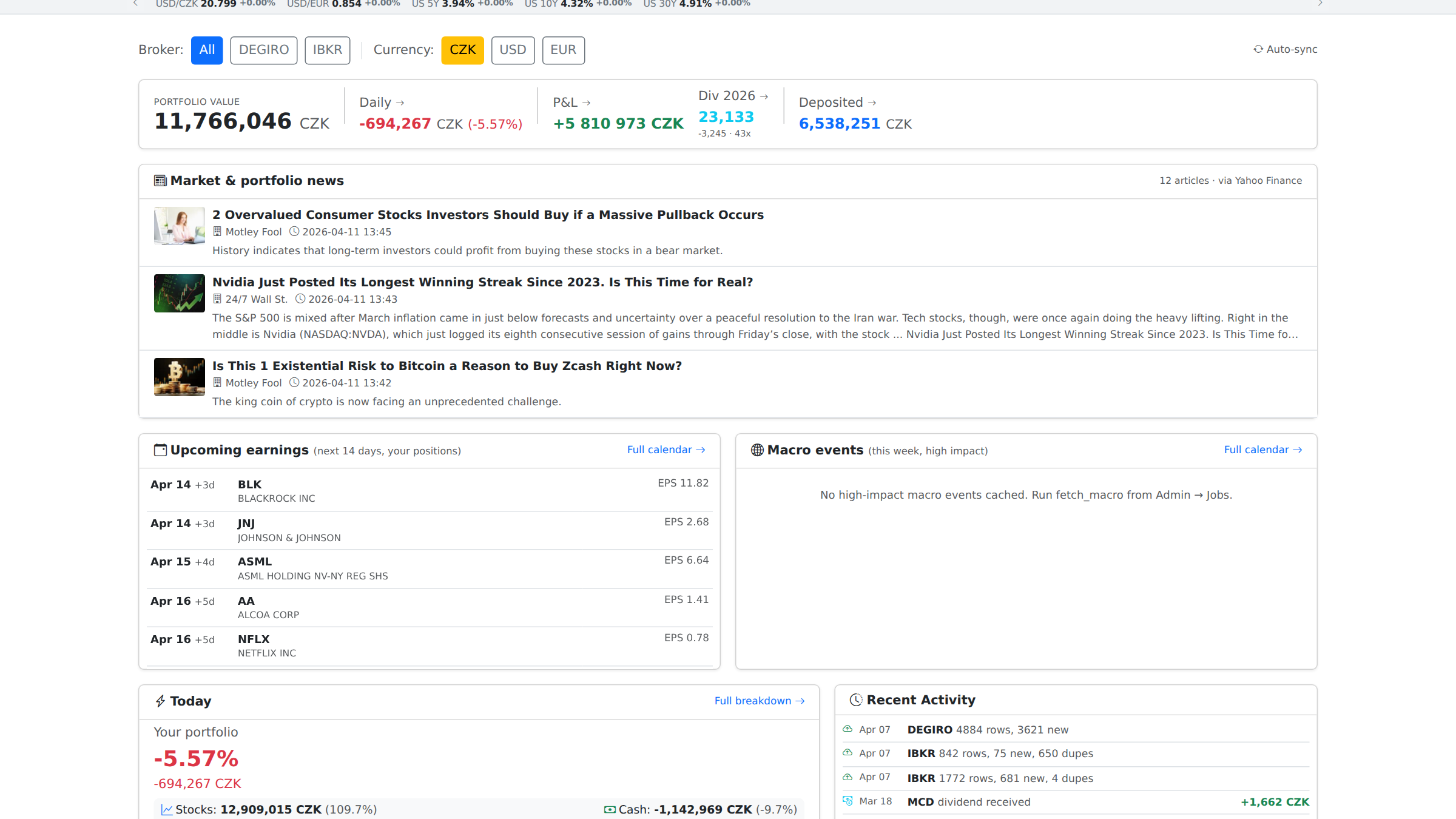
As soon as your first upload finishes parsing, three pages become useful:

  • Dashboard — the overview: total value, today's change, top positions, recent activity.
  • Positions — what you own right now, per instrument, with cost basis and unrealized P&L.
  • Cash — the balance in each account, per broker and currency.

The first thing to do: pick your biggest position and check quantity, market value, and unrealized P&L against your broker. For IBKR and Degiro this should already be very close — these are the two brokers I use every day and where I spend most of my accuracy work, and I don't know of another tracker that matches IBKR and Degiro more closely. I can't guarantee a perfect match for every edge case yet, though. For Trading 212, Fio, and XTB, accuracy is still work-in-progress — I simply don't have enough of my own data from those brokers yet, so please cross-check and tell me what's off. Either way: if a number doesn't match, tell me and I'll fix it as fast as I can. Accuracy is the top pillar, and that's the only way it gets better.

Screenshot: Dashboard Screenshot placeholder — Dashboard
3

Verify any number — the full audit trail

Accuracy is only real if you can prove it. Hedger has no black boxes: every number traces back to a row in a CSV you uploaded. Source file → raw event → ledger entry → the figure on screen. Here's the chain:

  1. Click any figure on the Dashboard or Changes page → see which ledger entries contributed to it.
  2. Open a ledger entry → see the source file name and the exact CSV row it came from.
  3. Export ledger data to CSV → cross-check in Excel or Google Sheets.

This is the second pillar after ease-of-use: no black boxes, ever. If a number doesn't match your broker, tell me — I'll fix it as fast as I can.

Screenshot: Ledger entry → source file Screenshot placeholder — Ledger entry tracing to source file
4

The page I open every morning: Changes

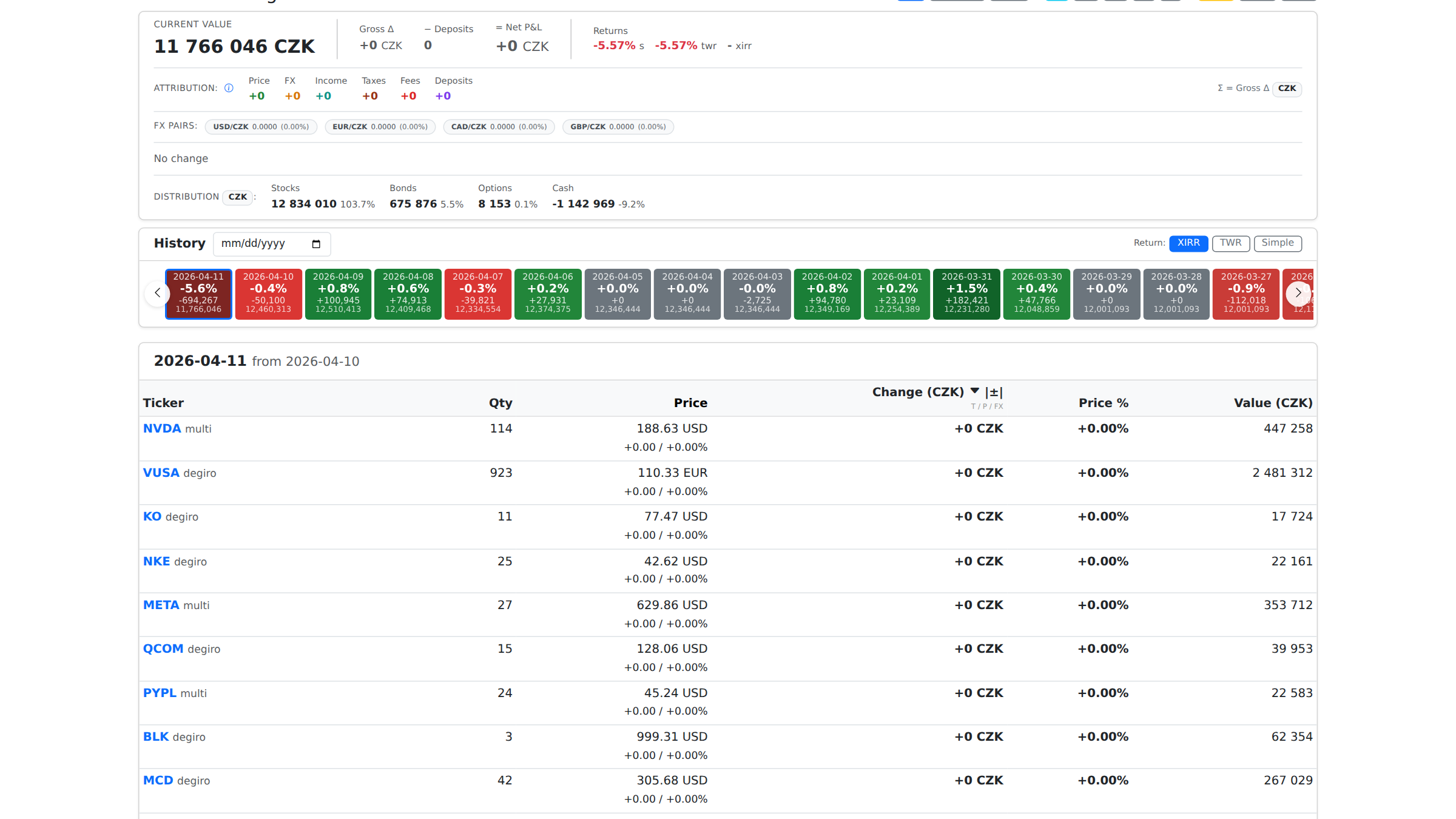
Now the deep stuff. This is the view that doesn't exist anywhere else at this depth. For any period, for every position, Hedger breaks down exactly what moved the number — split into six buckets:

Price
Market moved
FX
Currency moved
Income
Dividends, interest
Taxes
Withholding
Fees
Commissions
Deposits
Your contributions

Switch between daily, weekly, monthly, quarterly, or yearly. Or click any specific historical date to see exactly what moved that day, per position. This is the view you won't find in any other tracker at this depth.

Screenshot: Changes page Screenshot placeholder — Changes page
5

Zoom out: Year-over-Year and Quarter-over-Quarter

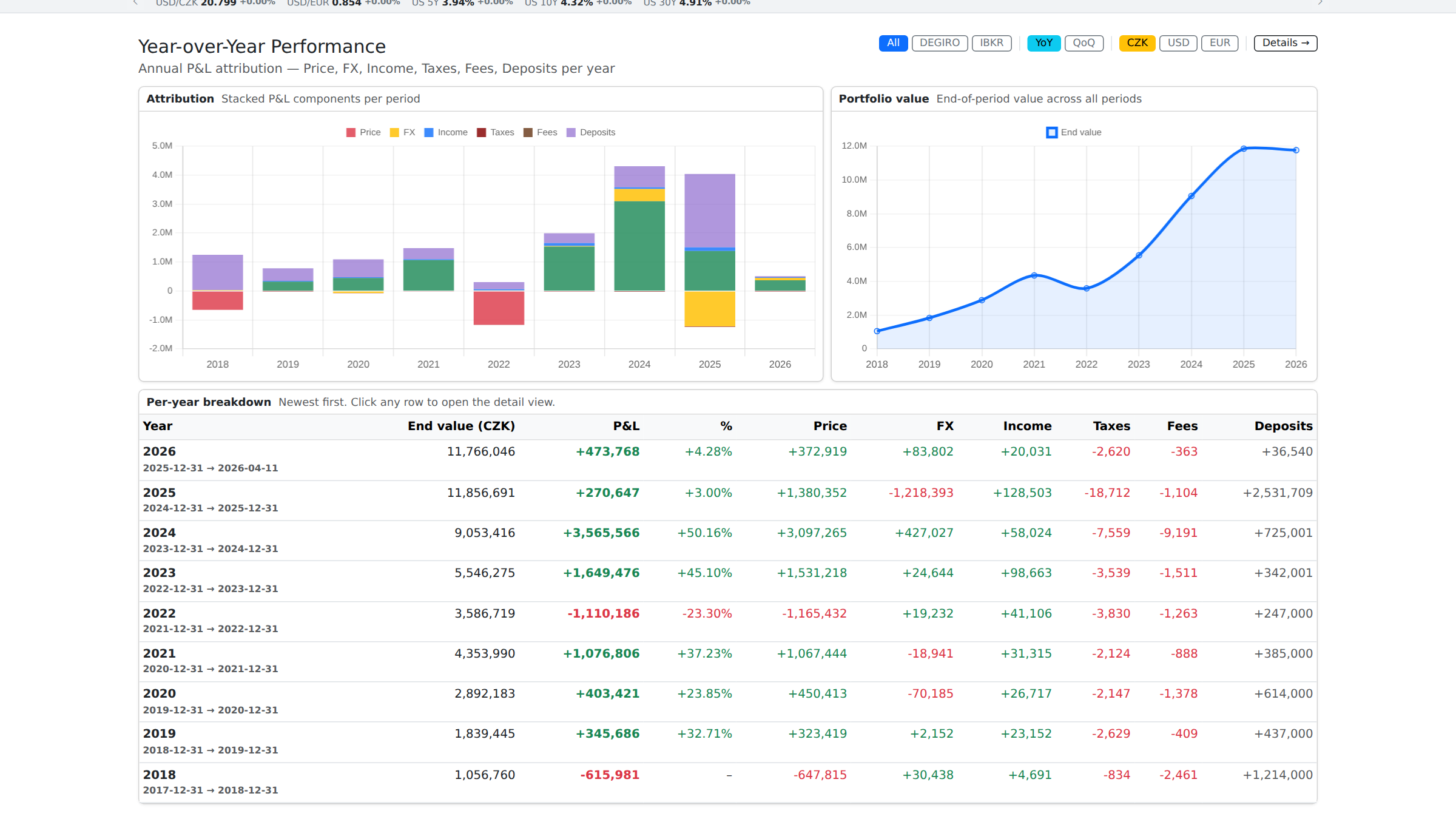
Same six-bucket attribution, but aggregated per year and per quarter. You get end-of-period value, attribution bars, and a per-period P&L table — so you can see at a glance which year built your wealth and which one cost you.

Screenshot: YoY page Screenshot placeholder — YoY / QoQ
6

Stay informed: news, earnings, and macro for your portfolio

Hedger filters market intelligence to the stocks you actually own — not the whole market. Three places to look:

  • Earnings calendar — upcoming earnings dates for your holdings.
  • Macro calendar — central bank decisions, CPI, NFP and other events that move your currencies and sectors.
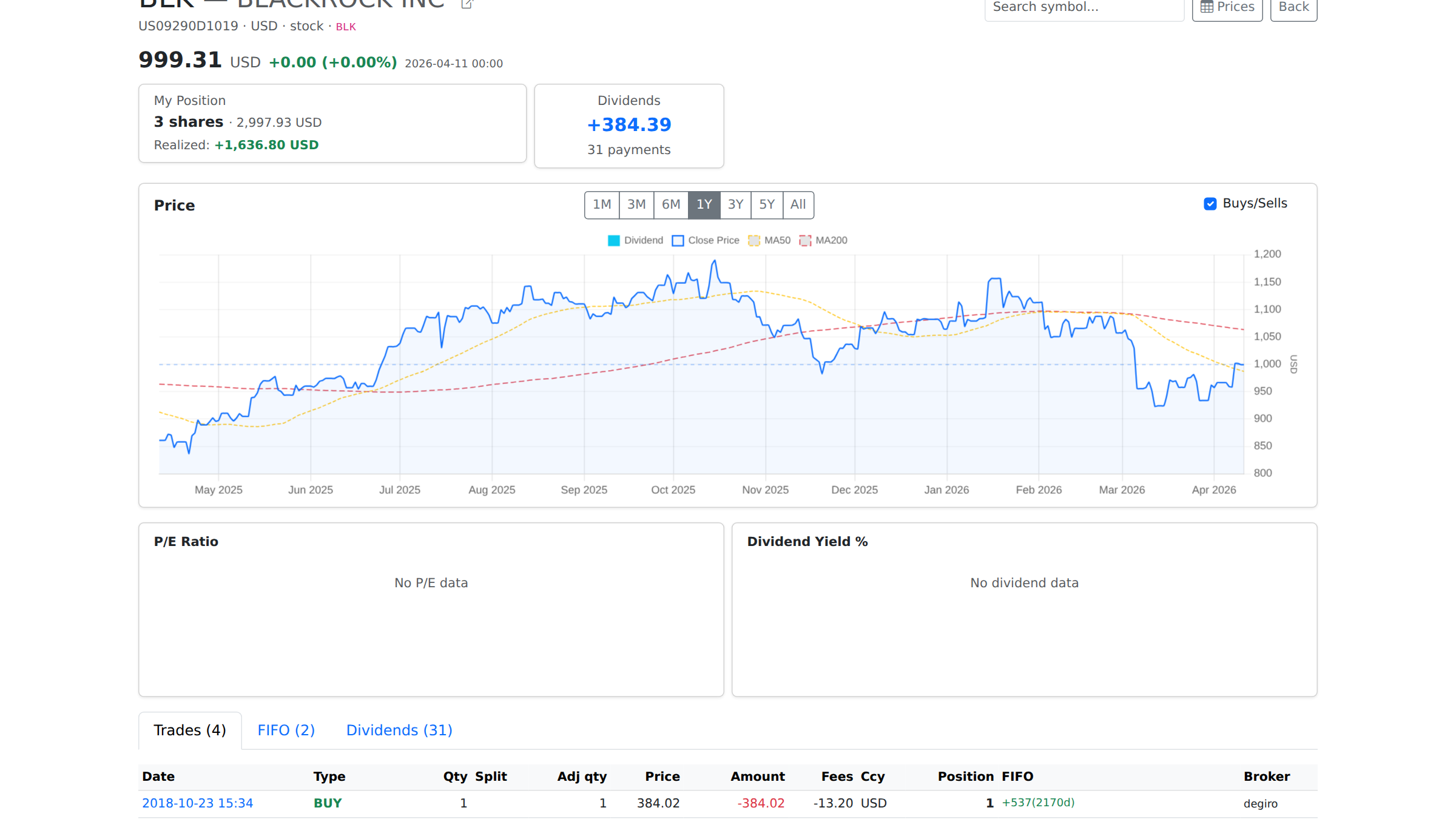
  • News feed — headlines scoped to the companies you hold, shown on the Dashboard and each symbol page.

Every Monday morning, open the Weekly Digest — a one-page recap of last week's moves, top contributors, dividends received, and what's coming up. Or turn on email delivery in Settings to get it in your inbox.

Screenshot: Weekly digest Screenshot placeholder — Weekly digest and news feed
7

When April comes: your Czech tax report

Hedger generates a Czech-compliant tax report straight from your ledger. It handles FIFO lot matching, withholding tax, Czech National Bank FX rates, and includes source file references for every number so you can reconcile against your broker statements.

If your setup is standard (IBKR / Degiro / T212 with straightforward trades, dividends, and interest), it should just work. If you have edge cases — options assignments, share transfers between brokers, odd corporate actions — double-check the output. We're still smoothing out some rough edges.

Want a second opinion? Taxomat is the reference tool in this space — we recommend it if you want to cross-check.

8

If something breaks or a number looks wrong

Tell me. I'll fix it as fast as I can.

Email: [email protected]

Include a screenshot, the broker, and the date range if you can. The faster you report a bug, the faster I ship the fix.

Hedger is built by one person who uses it every day. Every bug report becomes a same-day fix or a concrete test case. That's how this app gets better — and that's why your feedback matters.